> For the complete documentation index, see [llms.txt](https://flexi-library.gitbook.io/flexi-sections/llms.txt). Markdown versions of documentation pages are available by appending `.md` to page URLs; this page is available as [Markdown](https://flexi-library.gitbook.io/flexi-sections/sections/blog-articles/articles-grid.md).
# Articles Grid
The **Articles Grid** section lets you showcase your blog articles in a clean, organized grid that looks great on any device. Simply pick a blog from your store and it'll automatically pull in up to 16 articles, displaying them in a customizable grid that you can set to show anywhere from 2 to 6 columns on desktop, 1 to 3 on tablet, and it'll even smartly convert to a touch-friendly slider on mobile screens. You have full control over the layout width (whether you want it fixed, full-width, or matching your theme's container), and you can tweak the spacing, backgrounds, and styling to match your brand—all without writing a single line of code since everything's customizable right in Shopify's Theme Customizer. It's perfect for highlighting featured blog posts, creating content marketing sections, or building out any area where you want to give your written content the spotlight it deserves.
### Setup Instructions
{% stepper %}
{% step %}
**Install the App**
Visit the Shopify App Store and install Flexi Slider Sections. Start your free trial to access all features and sections.
{% endstep %}
{% step %}
**Install Section**
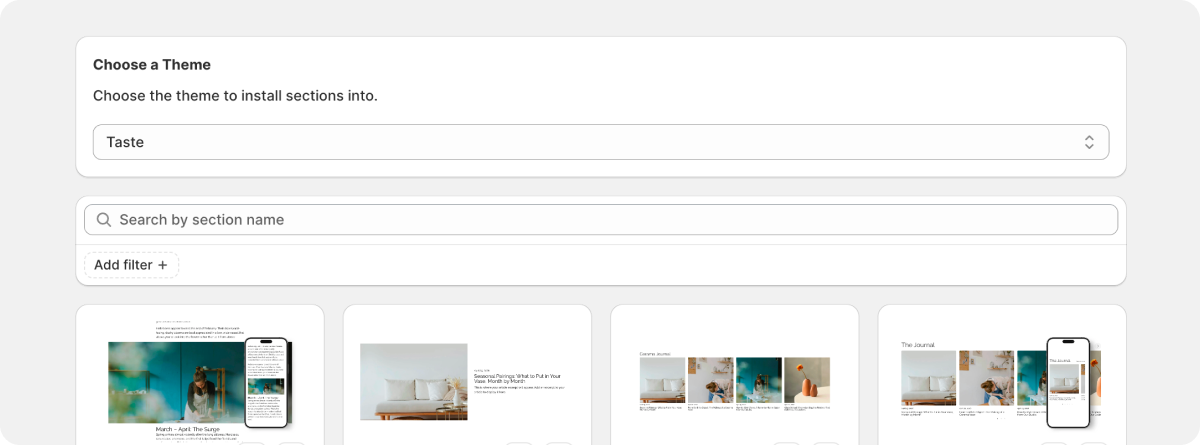
Open the Flexi app and navigate to the sections library. Search for "Articles Grid" and click "Add to Theme" to install it instantly.
{% endstep %}
{% step %}
**Add to Your Store**
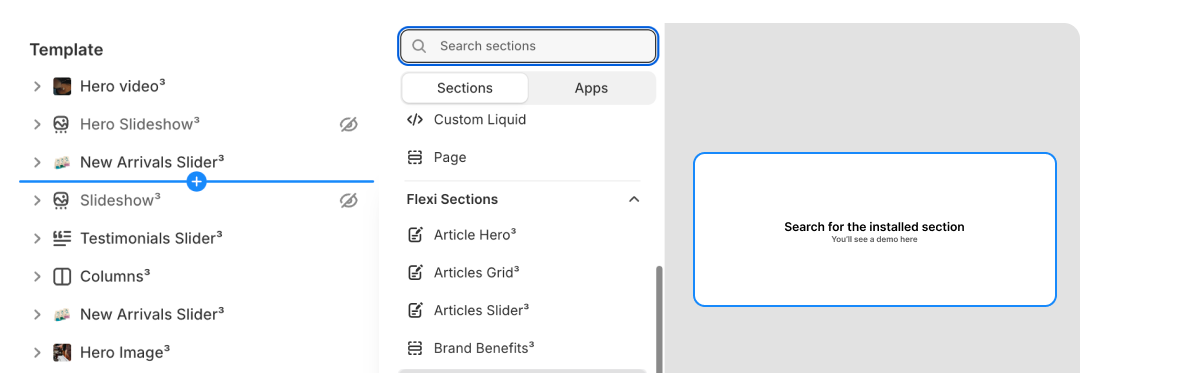
Go to your Shopify admin → Online Store → Themes → Customize. Click "Add section" and select "Articles Grid" from the available sections.
{% endstep %}
{% step %}
**Set Section Width**
In the section settings, choose your preferred layout:
* **Full width**: Spans the entire page width
* **Fixed width**: Set a custom maximum width (320px - 1440px)
* **Theme width**: Use your theme's default container width
{% endstep %}
{% step %}
**Add Content**
Click "Add block" to add product groups. Each group can contain multiple products with customizable layouts including titles, prices, images, and buttons.
{% endstep %}
{% step %}
**Customize & Style**
Fine-tune your slider with the built-in settings:
* Adjust background colors or add background images
* Control spacing and padding
* Set slider behavior (auto-play, loop, arrows)
* Customize typography and colors
{% endstep %}
{% endstepper %}
{% hint style="info" %}
#### Why Use Flexi Sections?
**Designed to Feel Native**\
Flexi sections are built to inherit your theme’s structure and styles, so they blend in naturally instead of feeling bolted on. Spend less time overriding CSS and more time shipping polished layouts that feel intentional.
**Prebuilt, Not Prescriptive**\
Each section provides a production-ready foundation without locking you into rigid layouts. Configure content, spacing, and structure to match your client’s needs—without rebuilding the same patterns from scratch.
**Theme-First Customization**\
All styling and layout adjustments happen through the Shopify Theme Editor. Tweak typography, spacing, alignment, and behavior using familiar theme controls, just like native sections.
**Built for Performance & SEO**\
Flexi sections are optimized for real storefronts, not demos. Lightweight markup and thoughtful defaults help keep pages fast, stable, and search-friendly across devices.
**Works Across Any Shopify Theme**\
Flexi sections work with any Shopify 2.0 theme, including Dawn, Horizon, and custom builds. Test safely on duplicate themes and ship with confidence.
**Easy to Maintain Over Time**\
Once a section is in place, it’s easy to manage. Update content, swap images, or adjust layout directly in the Shopify admin—no fragile custom code or one-off fixes to maintain later.
**Built for Reuse Across Projects**\
Flexi is designed for builders shipping real work. Reuse the same section patterns across client projects to stay consistent, move faster, and avoid unnecessary technical debt.
{% endhint %}